Problem statement
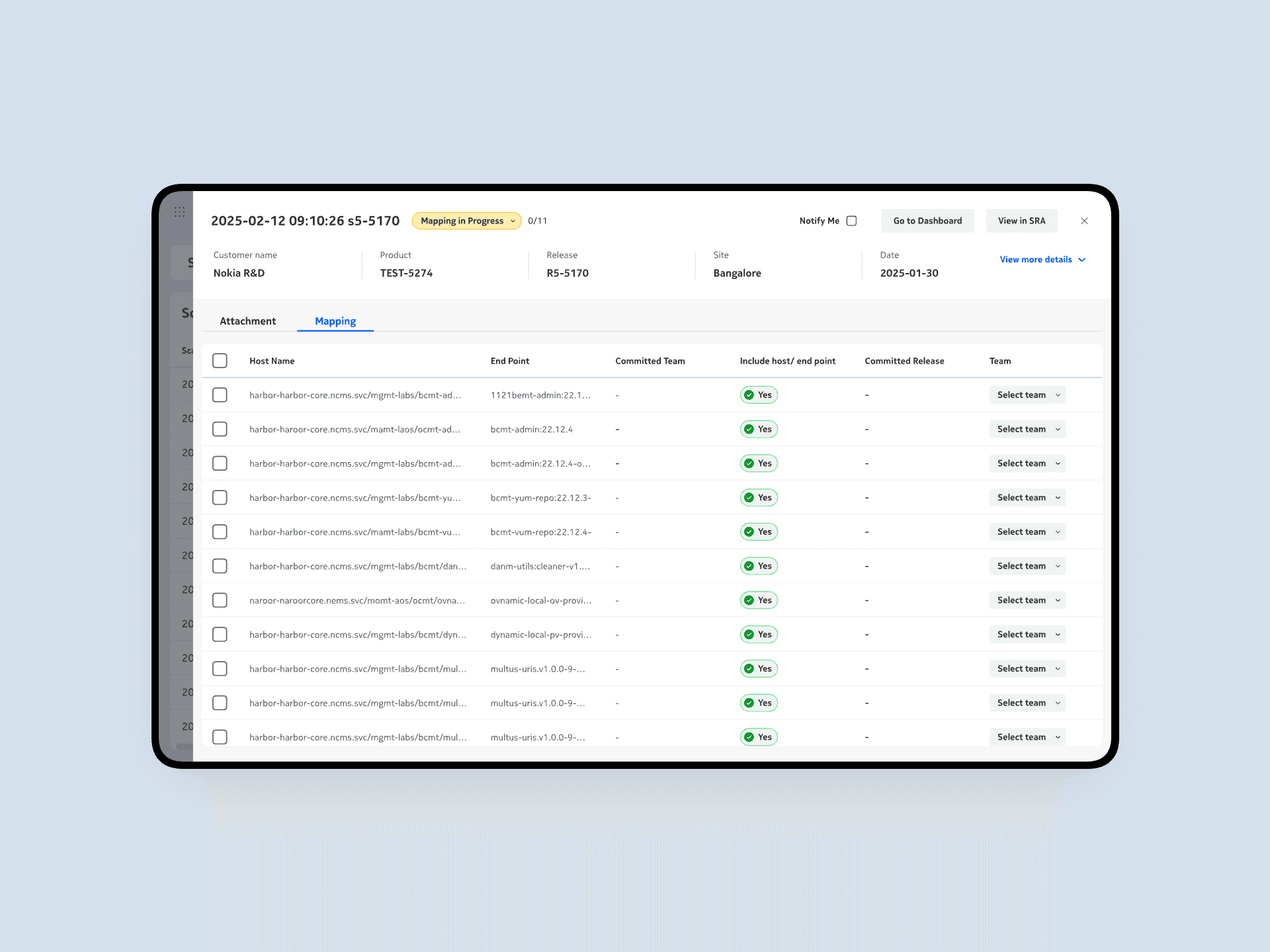
The Scan Upload and Scan Mapping workflows in Nokia VAMS are complex and difficult to navigate, with unclear file requirements, inconsistent statuses, and limited feedback. The non-intuitive UI, confusing CTAs, and manual mapping process lead to user errors, frequent support requests, and reduced confidence in the system.

Discovery
Define
Design
Discovery
User Interview
Why?
To understand specific pain points, workflows, and user experiences within the Scan Upload feature for each role. Also with focus group discussion, validations were made for raised confusions.
How?
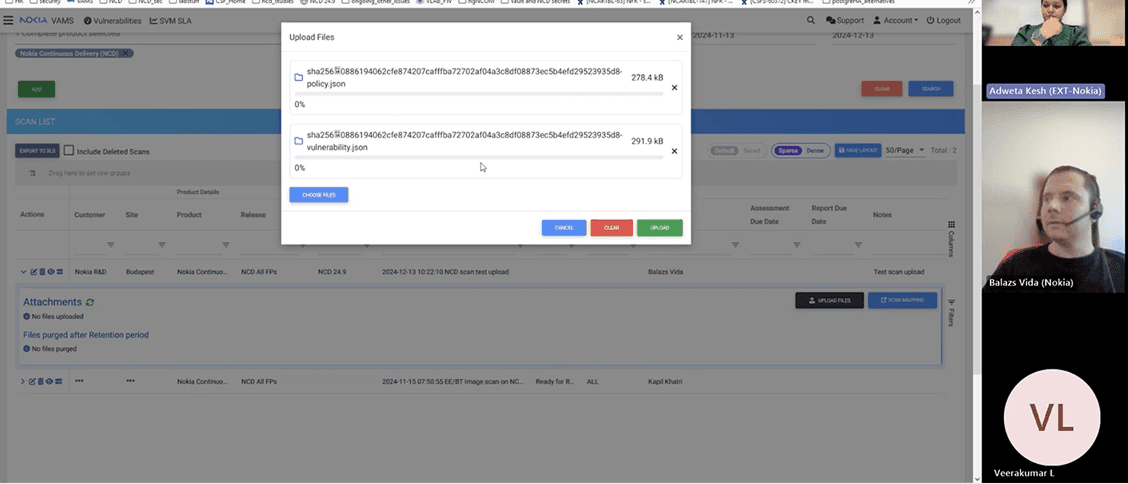
Through remote sessions on Teams, including 10 participants, 8 one-on-one interviews, and 2 group discussions, users shared their screens and walked through real task flows, helping us identify key areas of confusion and inefficiency.
Conducted with open-ended questions to gain deeper insights into the user flow and uncover underlying pain points and usability challenges.
Key Findings
Define
Card sorting
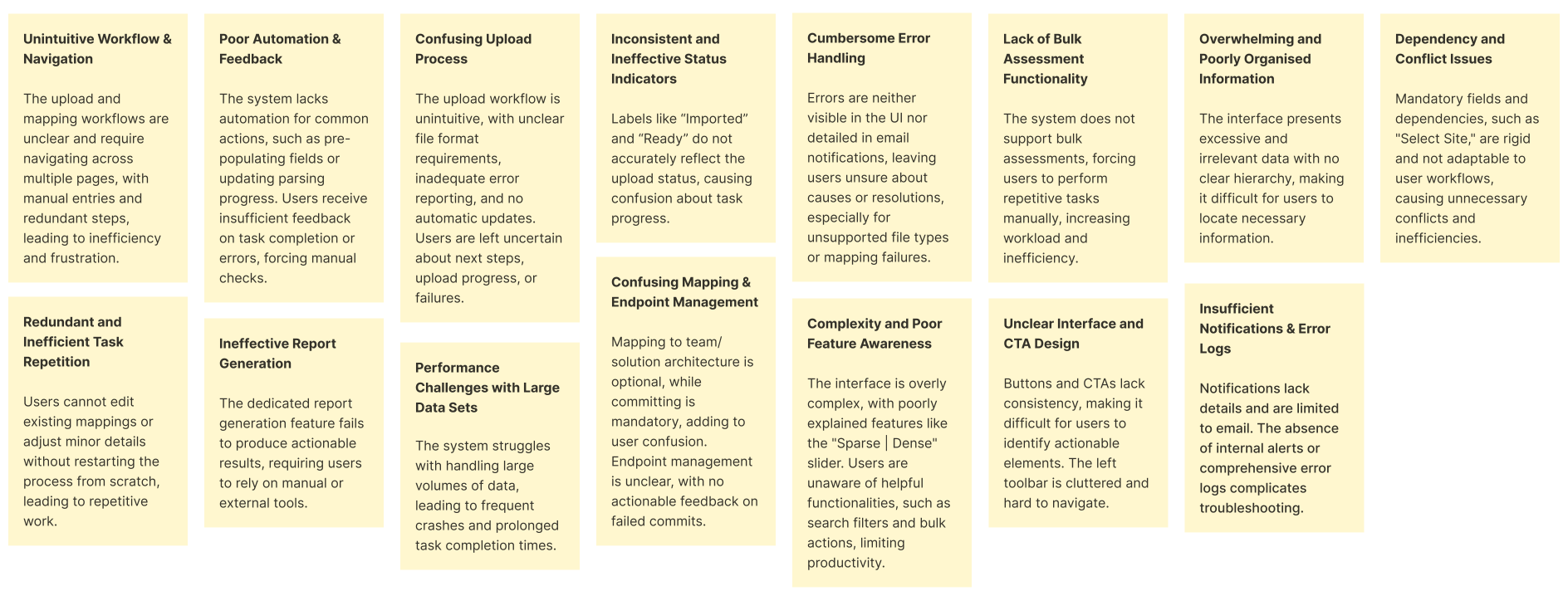
To organize and simplify the Scan Upload workflow, a card sorting exercise was conducted using key findings from the usability analysis. The goal was to group related functions and identify how users mentally categorize actions such as uploading, mapping, reporting, and monitoring.
Issue Area | Impact on Users |
|---|---|
Unintuitive Workflow & Navigation | Users struggle to complete uploads due to multi-page flows and redundant steps. |
Confusing Upload Process | Users don’t know which files to upload or what happens next. |
Cluttered & Disorganized Interface | Overloaded screens make it hard to find key information. |
Confusing Mapping & Endpoint Management | Unclear steps and feedback lead to mapping errors. |
Inconsistent CTAs & Layout | Buttons and navigation are inconsistent and confusing. |
Limited Notifications & Logging | Users rely only on email updates, and there is no in-app feedback. |
Knowledge map
In this activity, the objective was to analyze and define the existing flow and interactions of the Scan Upload and Mapping workflows, to understand how the current process functions, and to identify areas for improvement in user experience and efficiency.

User personas
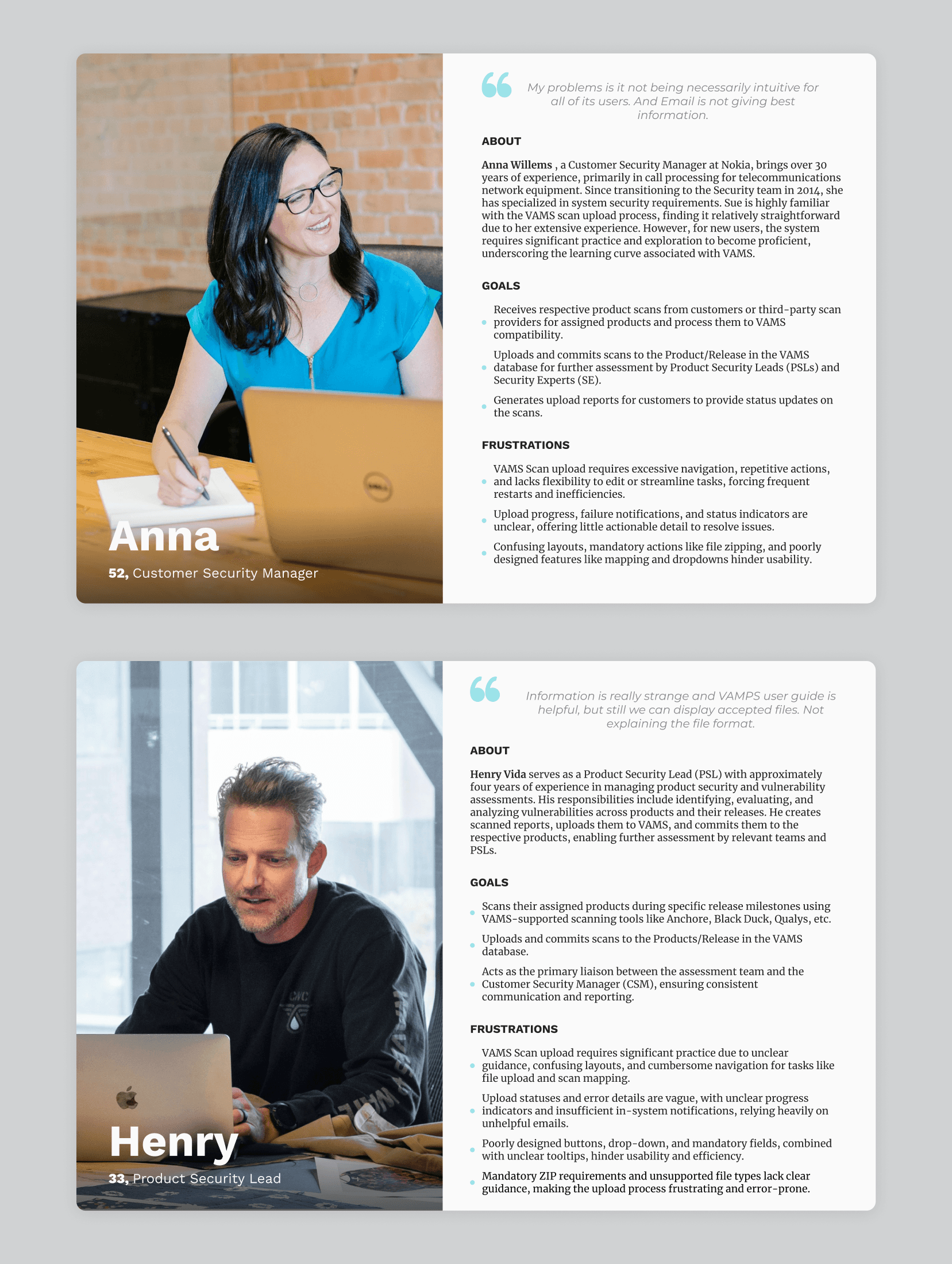
From the user research, key user personas were identified, along with their specific goals and frustrations, to gain a deeper understanding of user needs and challenges across the Scan Upload and Mapping workflows.
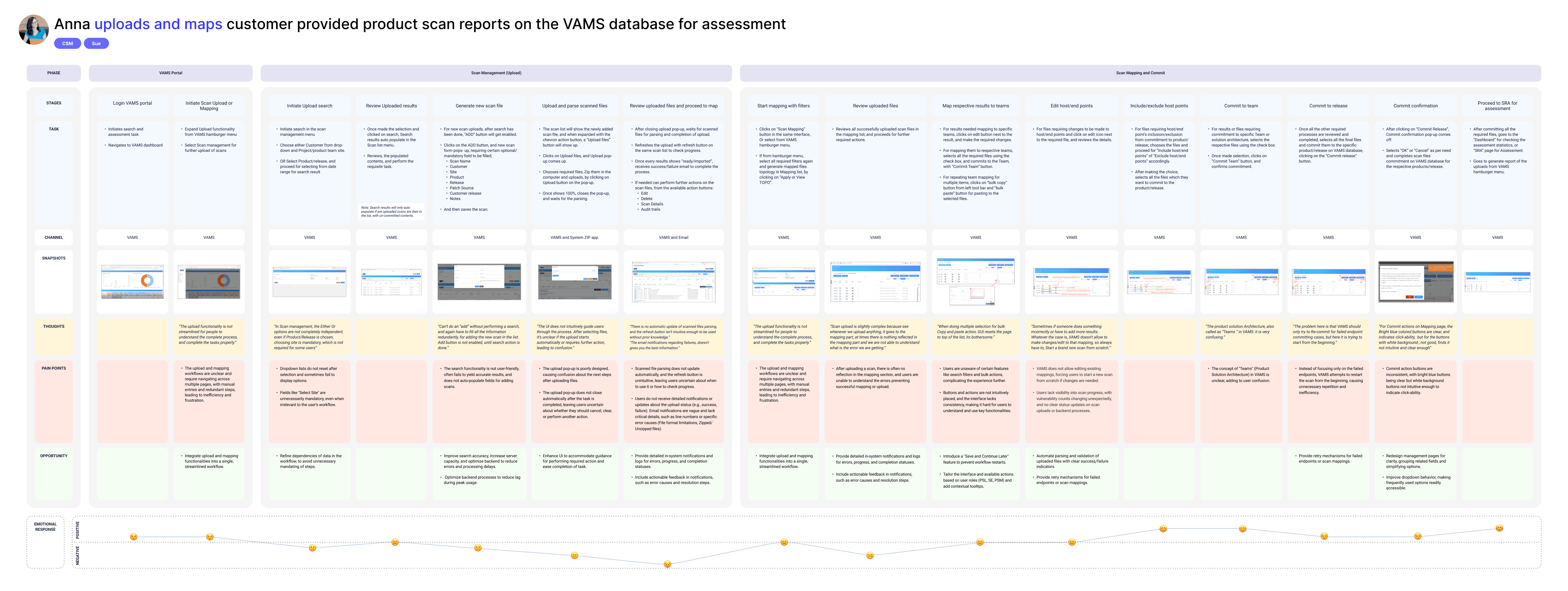
User journey
In this stage, the AS IS journey is filled with tasks, thoughts, pain points, and opportunities.
Feature prioritization
In collaboration with the stakeholders and product team, feature priorities and implementation timelines were defined to ensure a structured and strategic approach to the product’s development roadmap. lists are below:
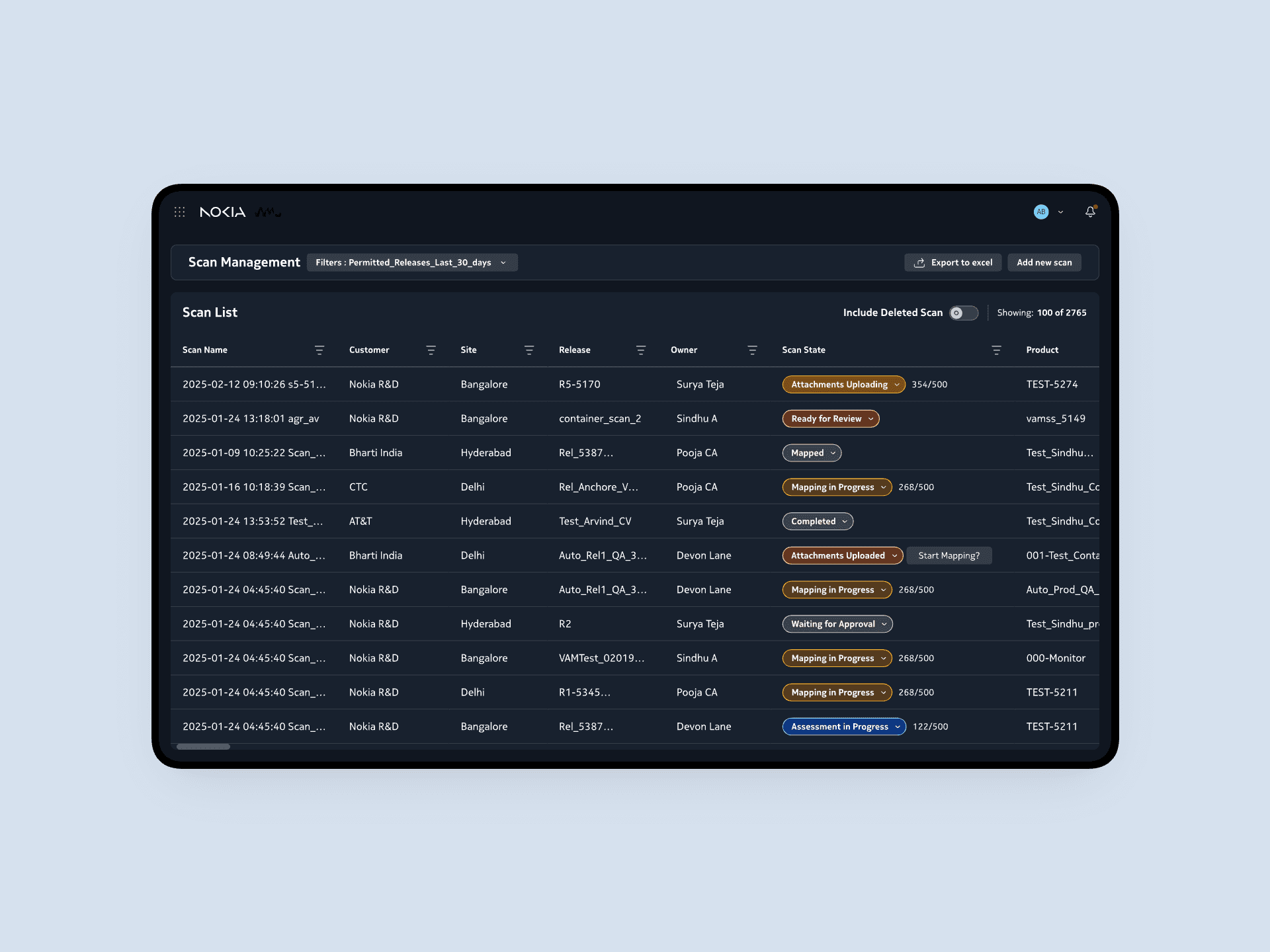
Scan list
Add new scan
Upload files
Mapping
Notifications
Bulk actions
Ideate
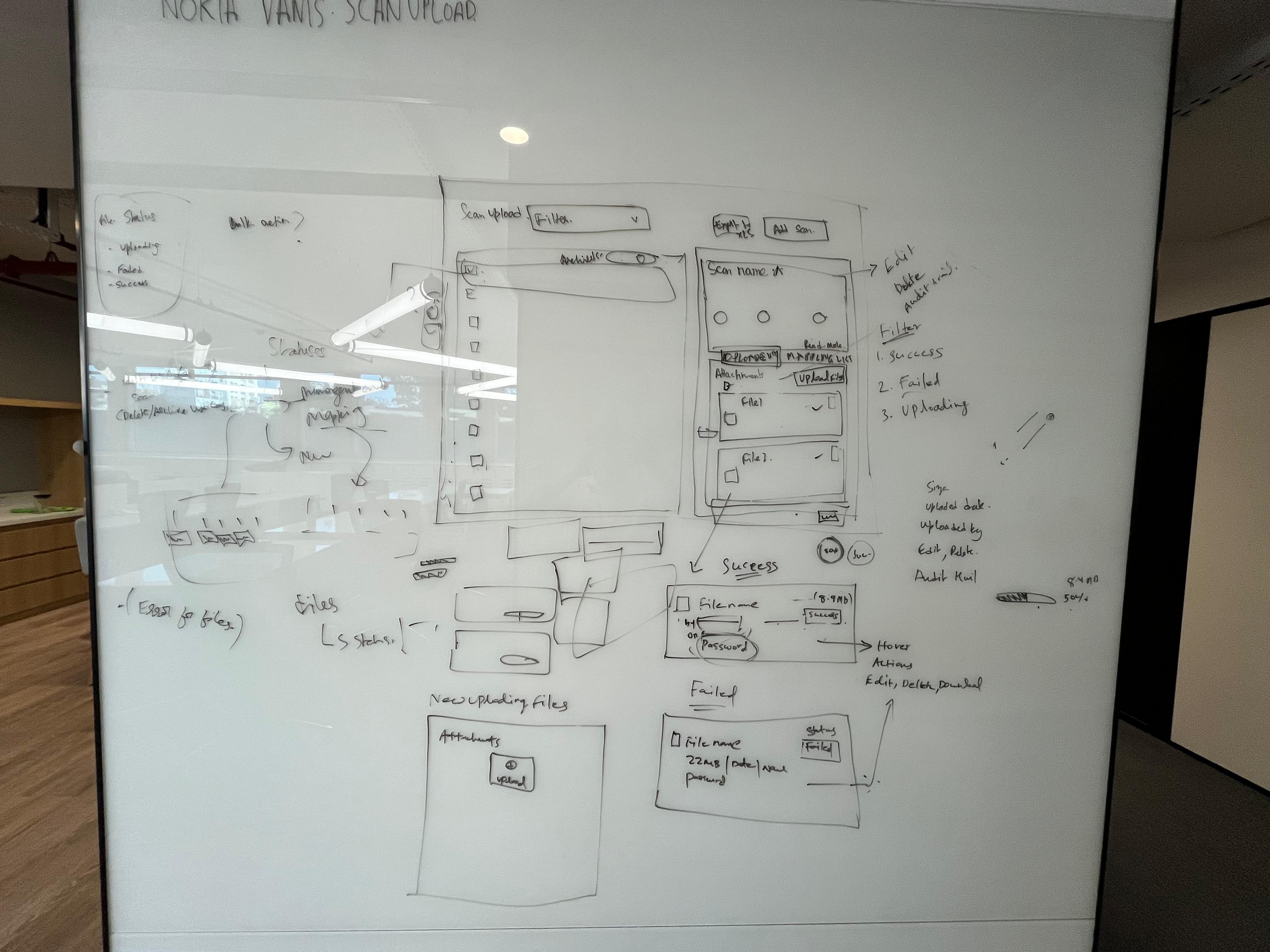
Whiteboarding & Concept design
Our team collaborated to generate ideas, create initial sketches, and develop concept designs. These were reviewed with key stakeholders to validate our direction and ensure the solutions aligned with user needs and project objectives.
Prototype
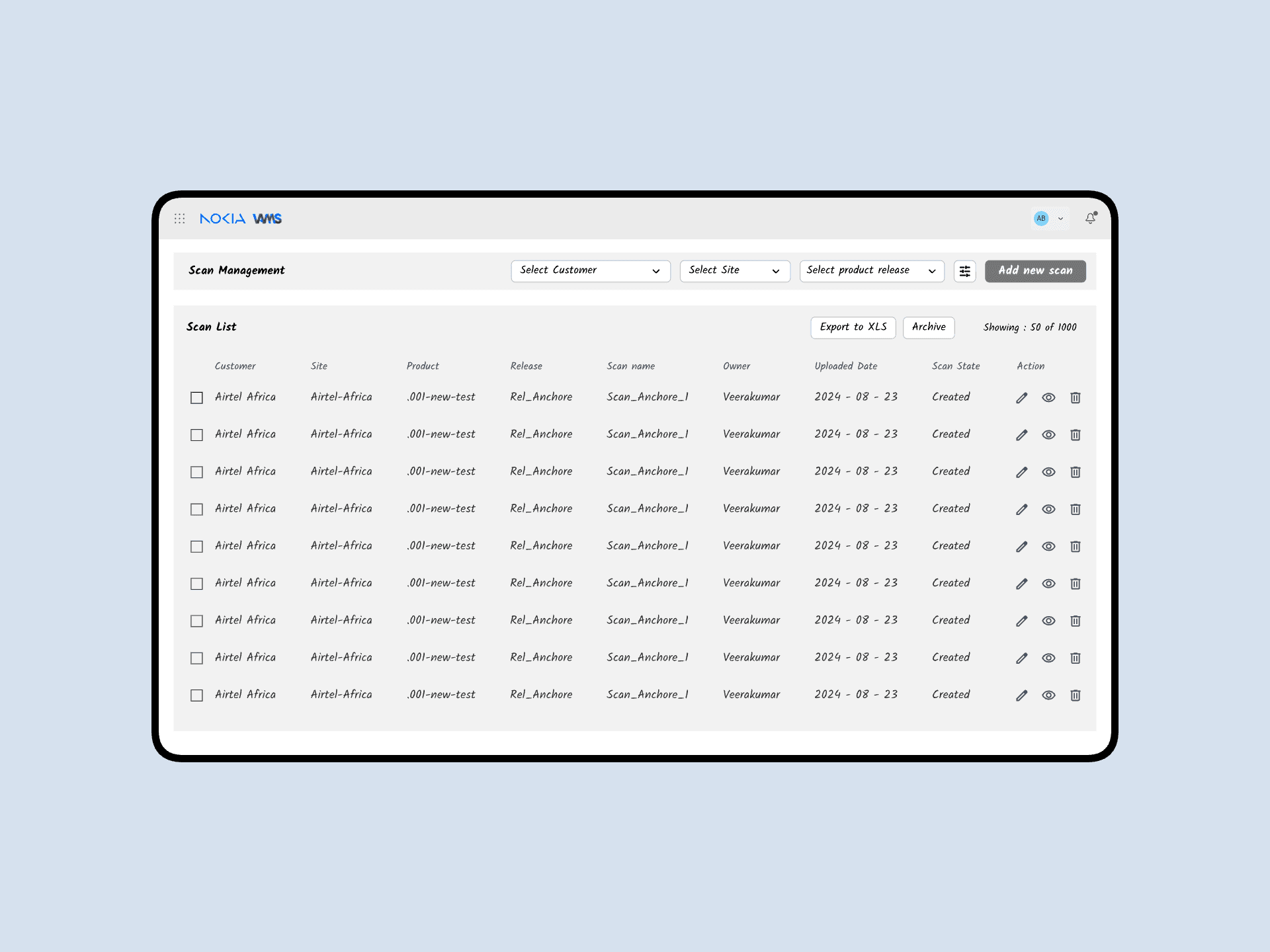
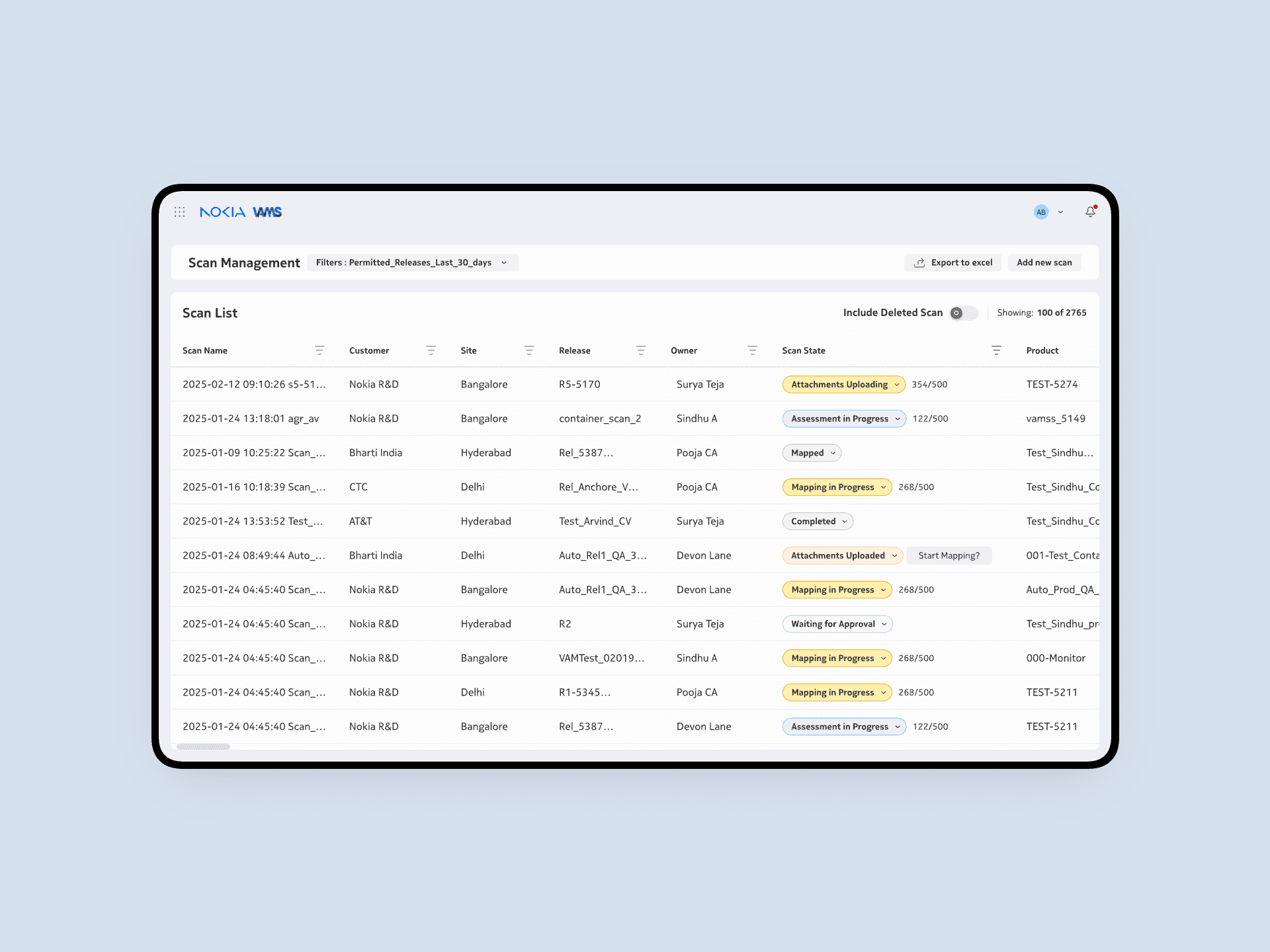
Mid-fidelity & High-fidelity
Worked with mid-fidelity, high-fidelity, and interaction design to validate our design.
Dark Mode
Components
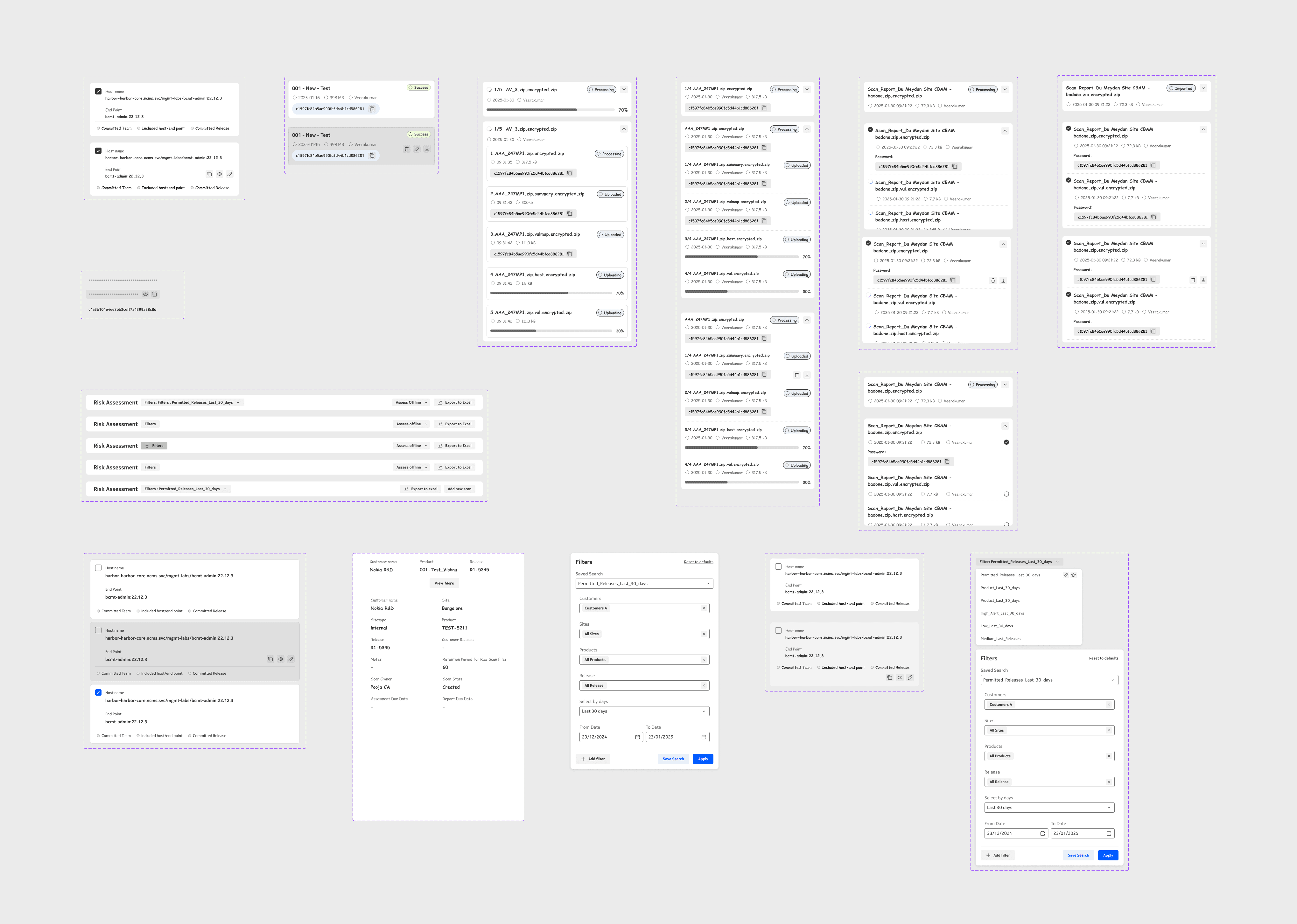
I used the Nokia Design System for both dark and light modes and created a few custom components like tables and notifications where needed.
Review
In this activity, we conducted iterative review sessions with the product team and real users (both in person and remotely) to evaluate whether the design concepts were usable, accessible, and effective for all users.
Dev handoff
A click-through prototype was created to demonstrate how users would interact with each element of the product, enabling a clear visualization of user flows and validating the overall interaction design.